A complete accounting course, taught through accounting games and written exercises.
Accounting Arcade teaches first-year accounting through short games that students actually play. It is written for learners of accounting in schools and universities, in straightforward English - plain words, clear steps, no penalty for being slow.
Not a quiz bank and not a textbook. Every topic in the syllabus has its own small game, and every game teaches one idea properly before moving on.
Written in straightforward English
Short sentences. Common words. Every accounting term is explained on the screen the first time a student meets it. A student who is confused loses confidence, and that is the thing this course is built to avoid.
Short enough to finish
Most games take about three minutes. Timers add a little pressure, but going over time never costs a student any marks.
Fresh questions every time
Each game draws from a large question bank, so a student who replays it gets different problems - and a student who shares answers does not help anyone.
Built for phones and tablets
Tapping, not dragging. Every game is checked by hand on a real phone before it is called finished - the smallest screen a student will use, and the hardest one to get right.
Goes straight into your LMS
Each game is a SCORM 1.2 package - the standard file format. Moodle and Blackboard accept one as it is; Canvas reads it through a SCORM tool most institutions already run. Upload it, and scores report back on their own.
Practice on paper too
Every chapter comes with a worksheet carrying at least three written exercises per game, so the learning does not stop when the screen is closed.
What it looks like
This is what a game actually looks like
Nine real screens, photographed on a phone. Nothing here is a drawing or a mock-up. They are taken from across the whole course, so you can see the shape of the thing before you play any of it.
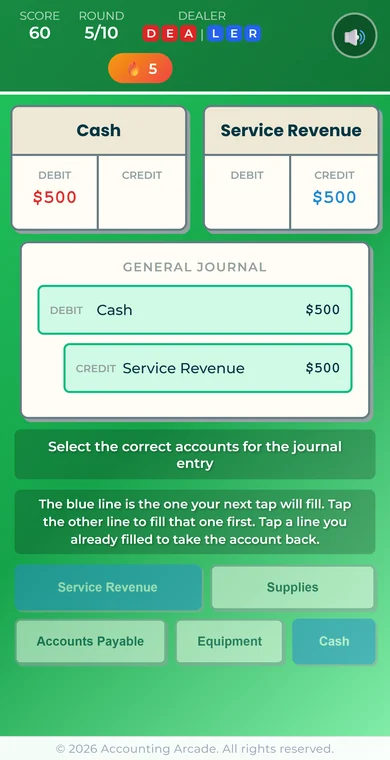
Chapter 2Ledger LinkBoth halves of one entry, in the journal and in the T-accounts at the same time.
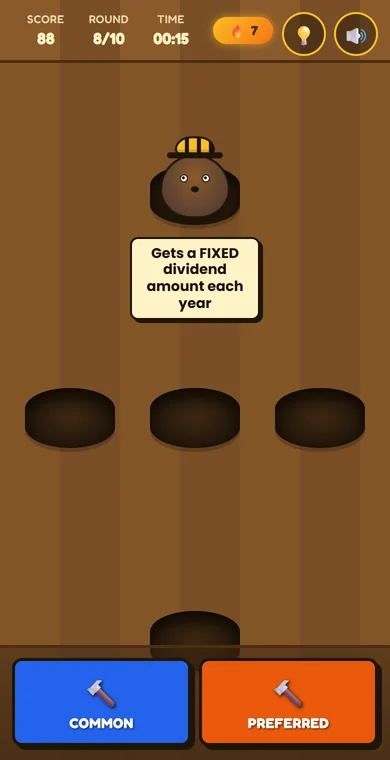
Chapter 12Common or Preferred?Whack-a-mole, with the two kinds of share. The accounting is in the mole.
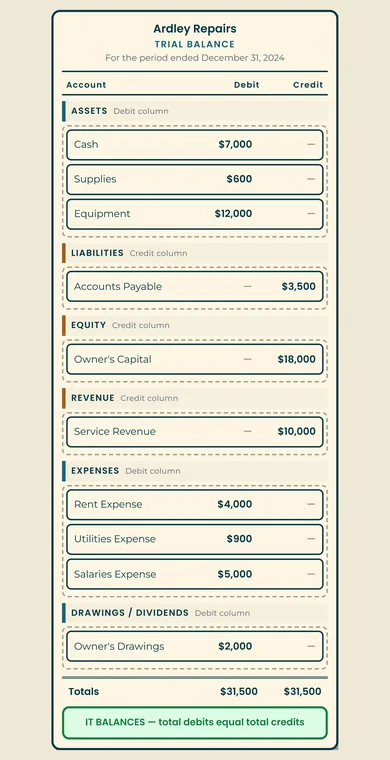
Chapter 2Trial Balance BuilderPut every account on its right side, then prove the two columns agree.
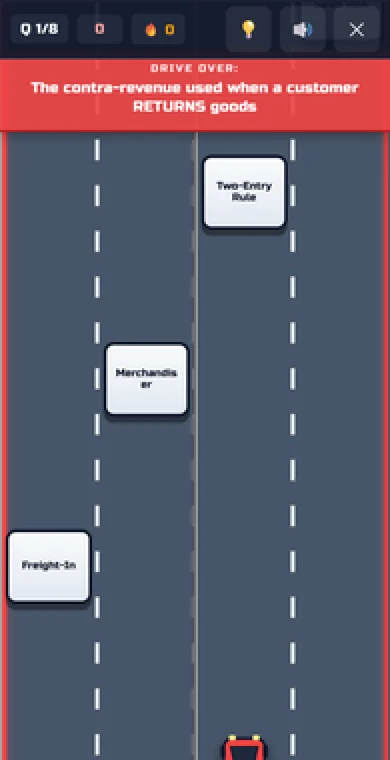
Chapter 5Concept RacerSteer into the right answer before it goes past. Three lanes, eight questions.
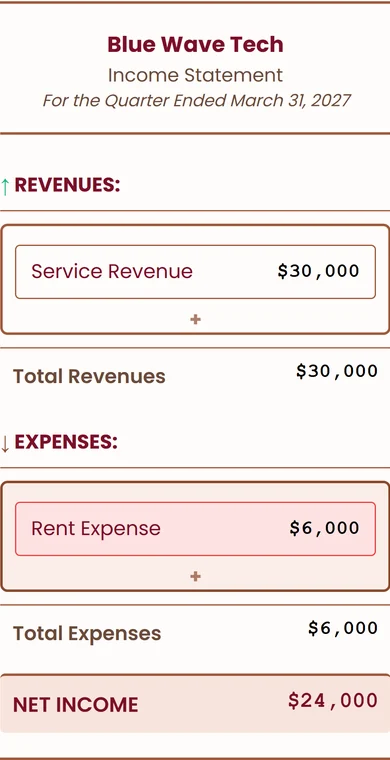
Chapter 4Build the Income StatementDrop each line where it belongs and watch the bottom line appear.
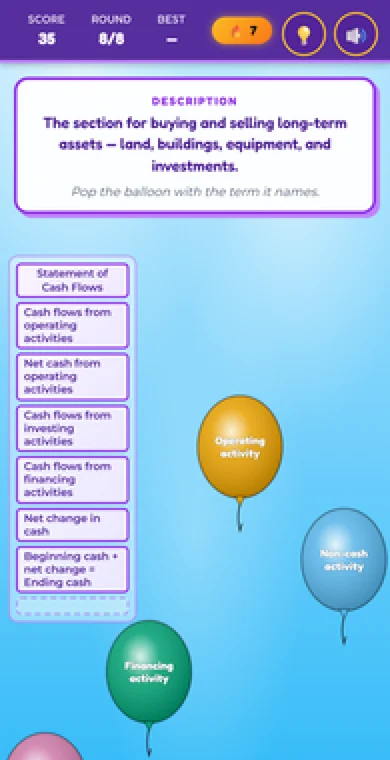
Chapter 13Cash Flow Words, MatchedPop the balloon that matches the description. Cash flow vocabulary, at speed.
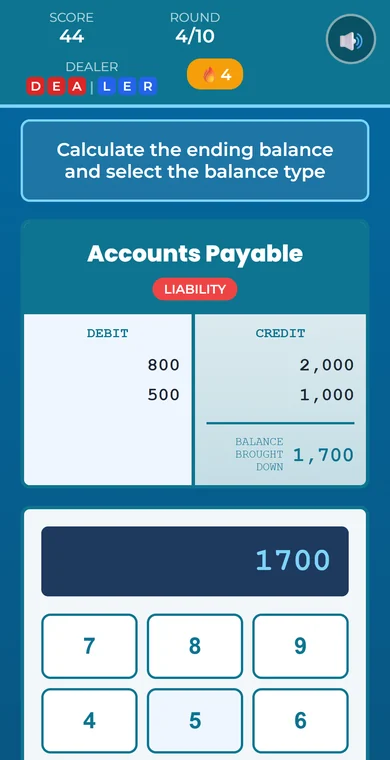
Chapter 2The BalancerAdd up both sides of a T-account and carry the balance down.
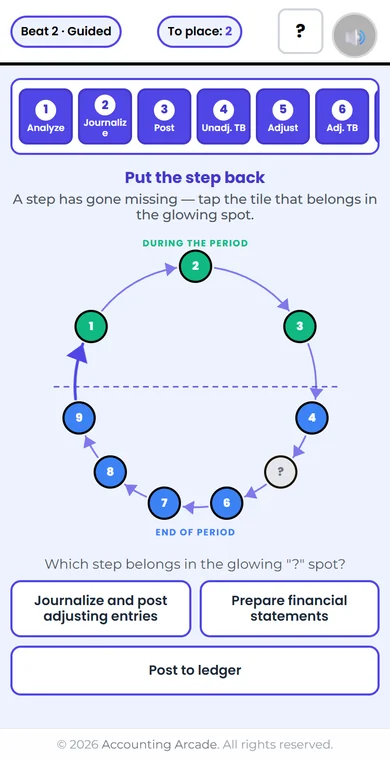
Chapter 4The 9-Step Cycle WheelThe whole accounting cycle as one turning wheel, a step at a time.
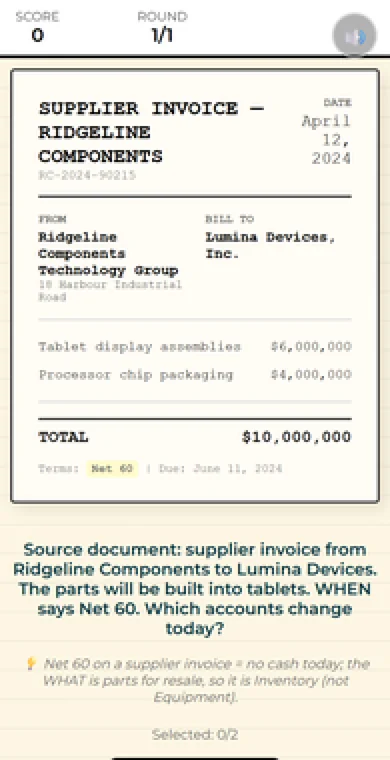
Chapter 1Account SpotterRead a real source document and say which accounts it moves.
The games you can open here are the ones a student meets first — the whole of Chapter 1 and the opening of Chapter 2. The later chapters are shown above, not handed to you cold.
Try it
Thirty-two games you can open right now
No sign-up, no email. Every one of these opens in your browser, on this page. These are the games a student meets first — the whole of Chapter 1 and the opening of Chapter 2 — because that is where accounting starts, not where it gets hard. Every one of these is finished and tested on real phones, as is every other game in the course.
Chapter 1
Business Entity Challenge
Tell the three forms of business apart, and say who really owns each one.
Chapter 1
The Translator
Turn a plain business sentence into the accounting word for it.
Chapter 1
Account Sorter
Sort account names into the five families: assets, liabilities, equity, revenue and expenses.
Chapter 1
Proprietor Match
Match the words a company uses to the words a one-owner business uses for the same thing.
Chapter 1
Two Sides of the Same Coin
A business has two sides: the things it owns, and the people with a claim on them. Read the card, then fire at the right side.
Chapter 1
Equation Explorer
Work with the accounting equation, and solve it when one of the three parts is missing.
Chapter 1
Ghost Protocol
Decide whether something that happened is a real transaction, or only a plan.
Chapter 1
Transaction Analysis
Take a transaction apart: which accounts change, in which direction, and by how much.
Chapter 1
Account Spotter
Read a real business document - an invoice, a receipt - and pick out which accounts it touches.
Chapter 1
Logic Flow
Do the whole analysis with no help on the screen, then see how it reaches the statements.
Chapter 1
Impact Analyst
Judge what a transaction does to equity, and spot the payments to owners that are not expenses.
Chapter 1
Income Statement Blueprint
Build an income statement piece by piece, in the right order, with the right subtotals.
Chapter 1
Balance Sheet Blueprint
Lay out a balance sheet: the sections, the order, and what "as of one day" means.
Chapter 1
Income Filter
Keep the income statement clean by throwing out everything that does not belong on it.
Chapter 1
Profit Builder
Put the income statement together and work out the profit at the bottom.
Chapter 1
Balance Sheet Filter
Decide what belongs on a balance sheet, and what only looks like it does.
Chapter 1
Balance Sheet Builder
Place each account into the correct section of a company balance sheet.
Chapter 1
Equity Bridge
Roll equity forward: start with what the owners had, add the profit, take out what was paid to them.
Chapter 1
Cash Flow Sorter
Sort cash movements into the three reasons a business moves money: operating, investing and financing.
Chapter 1Playable now
Cash-Flow Map
Build the shape of a cash flow statement and see where each kind of cash movement sits.
Chapter 1
Dividend Dilemma
Decide whether a company may pay a dividend - it needs both the profits and the cash.
Chapter 1
Ethics Inspector
Work through real ethical case files, choose what to do, and live with the consequences.
Chapter 1
Who's Asking?
Decide who is asking to see a company's numbers, and what each of them wants to know.
Chapter 1
Standards & Assumptions
Meet the people who write the accounting rules, and the four things every set of accounts assumes.
Chapter 2
Nature of Accounts
Learn that debit means left and credit means right, and which side each account calls home.
Chapter 2
DEALER Visualizer
Post a transaction to both the T-accounts and the journal, using the DEALER memory aid.
Chapter 2
Double Entry Pro
Write both halves of an entry, with the game coaching you through every step.
Chapter 2
The Balancer
Add up both sides of a T-account, work out the balance, and say which side it falls on.
Chapter 2
Ledger Link
Read two T-accounts and say the journal entry that must have created them.
Chapter 2
Syntax Inspector
Find the formatting mistakes in a journal entry before they turn into habits.
Chapter 2
T-Account Challenge
Build a full entry in T-accounts with no coaching, including entries with more than two lines.
Chapter 2
Entry Builder
Write a correct journal entry on your own: accounts, sides, amounts and layout.
Thirty-two of the 351 games built so far. These public copies are snapshots; the version inside a licensed course may be a little further ahead.
What it costs
Thirty-four games are free to play
Not a trial and not a sample chapter with the good bits taken out. Chapter 1 and the first nine games of Chapter 2 are free on this website, for anyone, with no sign-up and no email address. The rest open as they finish their checks.
That takes a student from "what is accounting for and who reads it" all the way to Entry Builder — writing a journal entry on their own, with no help on the screen. It is the point where a beginner stops being a beginner, and we would rather someone reached it and then decided.
The games open here as each one finishes its checks, and every chapter page says exactly where each game has got to. Nothing is marked ready before it has been tested by hand on a real phone.
For students
Individual access — buy now. Studying on your own, or your course does not use Accounting Arcade? You can buy access for yourself: the complete Financial Accounting course on our own learning site — 345 games across 15 chapters, each with its own worksheet and full solutions.
After you buy, your login is emailed to you automatically, usually within a few minutes. Every game is tested by hand on a real phone before it is marked ready.
Every game is built, every worksheet is written, and the whole thing is ready to use this term.
The numbers
351games, covering every topic in a first-year accounting course.
1059written exercises on the worksheets, so the practice carries on off the screen.
48different game formats, so students are not doing the same thing twice.
Every game works on a phone, and every chapter page lists every game inside it. See all fifteen chapters.
The story
Led by a teacher, for teachers
Why Accounting Arcade exists
After eighteen years of teaching accounting at universities in four countries, I kept seeing the same thing: students switching off in lectures, and handing in work they had not really learned anything from.
So I changed how I taught. Exams in class rather than take-home assignments. Exercises done by hand. And games that teach through playing, instead of asking students to sit and absorb. That is the whole idea behind Accounting Arcade: play it to learn it, find out straight away whether you were right, then write it out by hand to make it stick. That is why every game comes with its own worksheet.
I led the development rather than building it alone — 351 games is more than one person can write. What is mine is the teaching: every topic, every question, and the rule that nobody is penalised for being slow. And I have opened every game by hand, on a real phone, before marking it ready.
The other thing I learned is that most of what stops a student is the writing, not the accounting. So every sentence in this course is written to be read once and understood. If a sentence can be misread, it gets rewritten. If a term has not been explained yet, it does not appear. A student who gets lost early rarely comes back, and that is the cost the whole project exists to avoid.
Every game drops straight into Moodle, Blackboard, or any system that reads SCORM packages, with nothing for your IT department to install. Canvas reads SCORM through an add-on tool, which many universities already run. Scores report on their own.
🎓
Qualifications
CMA (Certified Management Accountant) • MSc Financial Management, University of London (SOAS) • BComm Accounting
🏢
Industry experience
Financial Controller at BP (Petrochemicals IT, France). Management accounting, budgeting and variance analysis across European operations.
📚
Teaching experience
Eighteen years at universities in Thailand, China and the UK. Financial accounting, managerial accounting, corporate finance and statistics.
💻
Course delivery
Learning platform administration (Moodle, Blackboard, SIMnet, Connect), SCORM packaging, and deployment into live university courses.
Which standard
This course teaches US GAAP
American rules, American terminology. If you teach somewhere else, read this before you decide — it probably matters less than you think.
At introductory level, almost all of the accounting is the same wherever in the world you teach it. A debit is a debit. The two things that genuinely differ are the words — receivables or debtors, inventory or stock, income statement or profit and loss — and how adjustments are presented. Underneath, the double entry is identical.
So these games use American terminology throughout, and where IFRS takes a different line on something we teach, the game says so on the spot rather than pretending the difference is not there.
The material is written to match the introductory texts most widely used on courses like yours.
Teaching to a different standard? Tell us which one. It helps us decide what to build next, and we will write back.
A SCORM package is just a zip file. Moodle and Blackboard open one straight away — you upload it like any other piece of course content, the score reports itself back to your gradebook, and there is nothing to install. Canvas reads SCORM through an add-on tool rather than on its own; many institutions already have one, and we will tell you how to check.
SCORM 1.240 KB
Account Spotter
Read a real business document and pick out which accounts it touches.
Turn editing on → Add an activity or resource → choose SCORM package → drag the zip into the file box → save. The grade appears in your gradebook by itself once a student plays it.
Loading it into Blackboard
Open the content area → Build Content → Content Package (SCORM) → browse to the zip → set it to report a grade → submit.
Using Canvas? Canvas does not read SCORM on its own - it needs a SCORM tool added, and most institutions already run one. Ask your Canvas administrator whether you have Instructure's SCORM tool or SCORM Cloud; if you do, the upload works the same way as above. Email us and we will walk you through it.
For institutions
Put this in front of your students
Every game and every chapter, as SCORM packages you load into your own LMS.
Play it free. Licence it for your course. Every game on this website is free to try, so you can judge the teaching before you spend anything.
What you licence is control and reporting. Every game ships as a standard SCORM 1.2 package, so it loads into Moodle and Blackboard the same way any other course content does, and into Canvas through the SCORM tool most institutions already run. Grades go straight to your gradebook, you decide who sees what and when, and your students never leave your system or create an account with us.
There is no price list on this site, because what a department needs varies. Tell us your course and roughly how many students, and we will give you a figure. Nothing will change under you mid–semester.
Want to see it in your own system first? We will walk you through loading a game into your LMS, so you can watch a grade land in your own gradebook before you decide anything.
Want to see more, use these with your own students, or tell us something is wrong? Write to us.
Terms of Use
Effective Date: August 2026
1. Intellectual Property
All games, software, content, design, and materials on this website and within the Accounting Arcade SCORM game suite are the exclusive intellectual property of David van Brecht, trading as Accounting Arcade. All rights are reserved.
2. Demo Games
The demo games on this website are provided for evaluation. You may play them, and where we offer a sample package for download you may download it and load it into your own learning platform to try it with your class. That is what those packages are for.
You may not:
Copy or extract the game source code, or reproduce, modify, or create derivative works from any game
Redistribute or share any game content outside your own institution, or publish it on any public platform
Use any game content for commercial purposes without a licence
3. Licensed Products
The full Accounting Arcade game suite is available under a separate licence agreement. Licensed institutions may deploy the games on their own Learning Management System (LMS) for educational use by their students and staff. Full licence terms are provided upon purchase.
4. Prohibited Activities
You may not:
Reverse engineer, decompile, or disassemble any software on this website
Remove or alter any copyright notices, branding, or proprietary markings
Attempt to access, copy, or scrape the source code of any game
Use automated tools to download or replicate content from this website
5. SCORM Compliance
Accounting Arcade games are designed to be SCORM 1.2 compliant. While we make every effort to ensure compatibility with standard LMS platforms, we cannot guarantee compatibility with all systems. We offer installation support to help ensure smooth deployment.
6. Limitation of Liability
This website and its content are provided "as is." Accounting Arcade shall not be liable for any indirect, incidental, or consequential damages arising from the use of this website or its products.
7. Contact
For licensing enquiries, support, or questions about these terms, please contact us at david@accountingarcade.org.
Privacy Policy
Effective Date: August 2026
1. Information We Collect
You can read this website and play every game on it without signing up, without an account, and without giving us your name or your email address. Nothing you do inside a game is sent to us.
The one place this website sends us anything about you is the contact form. If you choose to fill it in, it sends us what you typed: your name and your email address, and — only if you fill them in — your institution, what you would like help with, and your message. If you never use the form, we hold nothing about you at all.
Your message reaches us through a third-party form service, so what you type passes through their servers on its way to us. If you would rather not use the form, email us directly instead — the address is at the foot of every page.
Our pages load their typefaces from an external font service, so that service sees your IP address when a page loads. Beyond that we use no analytics, no tracking and no advertising.
2. How We Use Your Information
We use what you send us, through the contact form or by email, only to reply to you and — if that is what you have asked about — to arrange licensing and support. We do not sell your personal information, and we do not pass it to anyone beyond the form service that delivers your message to us.
3. Demo Games
The demo games on this website do not collect or store any personal data. When deployed via SCORM on your institution's LMS, any data collection is governed by your institution's own privacy policies.
4. Cookies
This website does not use tracking cookies or analytics services.